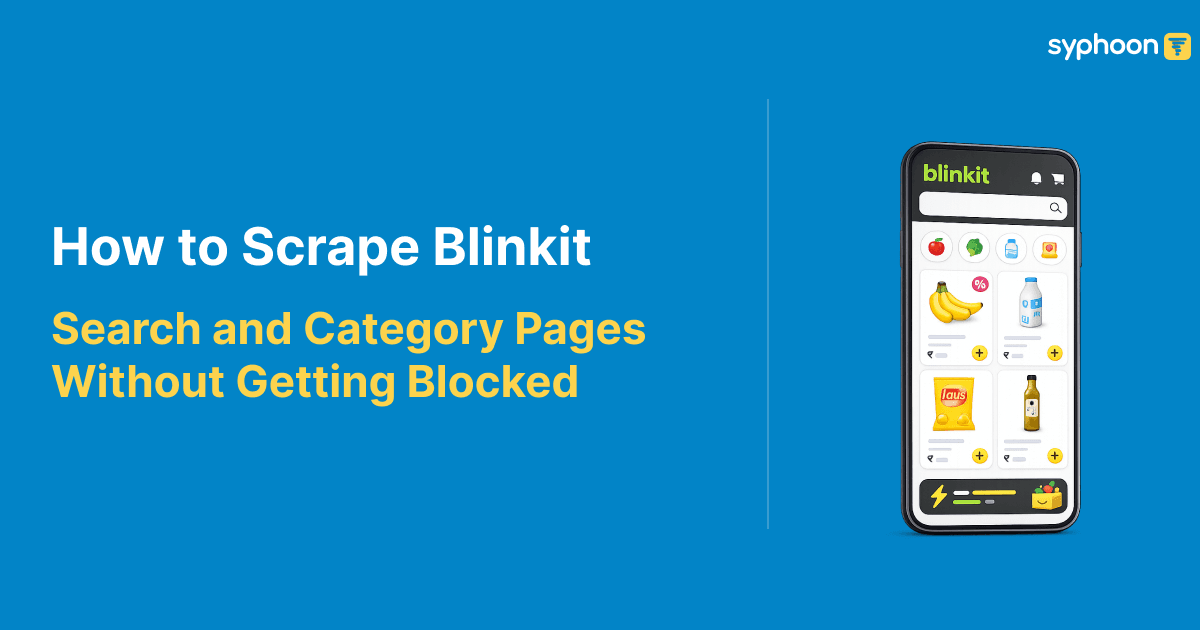
Understanding how to scrape Blinkit search and category pages is essential for teams doing competitive analysis at scale. These pages return product listings showing dozens of items with pricing, availability, ratings, and stock levels specific to each delivery location. Unlike single product pages where data remains relatively stable, search results change based on keyword, filters, geography, and time. Scraping at volume means handling request limits, maintaining session state through pagination, rotating residential proxies to avoid blocks, and parsing location-specific data correctly.
This guide covers the technical approach to extracting Blinkit search results reliably, the infrastructure your scraper needs, and how to structure output for downstream systems. We'll also show how managed solutions like Syphoon's Blinkit scraper handle these challenges at scale.
What Data Blinkit Search and Category Pages Contain
When you visit a Blinkit search results page or browse a category, the page returns multiple products with consistent data fields for each item. Every product listing includes location-specific information tied to the user's pincode, which means the same search query returns different results and prices depending on the delivery zone.
| Data field | What it contains | Why it matters |
|---|---|---|
| Pincode and Location | Delivery pincode, city, address, latitude, longitude for the search context | Results are location-specific; same product has different prices and availability by pincode |
| Product Identification | Product title, product ID, brand name | Unique identification across pincodes |
| Pricing | Current price, MSRP (original price), currency | Competitive analysis, discount tracking |
| Availability and Stock | Availability status, quantity in stock | Inventory tracking, stockout detection |
| Images and Metadata | Product images, image URLs | Visual data for catalog enrichment |
| Ratings and Reviews | Product rating, number of reviews | Quality and popularity signals |
| Pack Size and Unit | Pack size, unit of measurement, unit price | Cost comparison, bulk analysis |
| Search Context | Search URL, original search query, pagination details | Tracing results back to the query that generated them |
| Timestamps | Scrape timestamp, data freshness markers | Time-series analysis, change detection |
Why Scraping Blinkit Search Results at Scale Is Technically Complex
Scraping Blinkit search results differs from scraping individual product pages in meaningful ways at volume. Search results are dynamic, changing based on user requests. Pagination and filtering add complexity because each page needs a separate request, and when you're working multiple locations or searches, request volume multiplies fast.
Blinkit implements anti-bot protection that escalates with request volume. Single requests from one IP spaced far apart may go through, but sustained traffic from the same IP gets flagged. Understanding Blinkit anti-bot protection patterns is critical for sustainable scraping. This is why residential proxy rotation becomes necessary at scale. Hitting the service repeatedly from the same IP results in rate limits or blocks.
Session handling adds another layer. Blinkit maintains session state as you navigate, and preserving that state through requests helps evade bot detection. Stateless requests from rotating IPs that ignore session consistency look more suspicious than requests mimicking a real browser session, even if that session originates from different residential IPs.
Search result URLs are parameterized. The URL structure encodes the search query, filters, page number, and sometimes location. Building these URLs correctly means reproducible, targetable scraping. Incorrect parameter structures send you to wrong pages or incomplete results.
Need location-specific Blinkit search and category data?
Technical Approach: Location Selection and Pincode Handling
Every Blinkit search result is tied to a specific pincode. If you're building a scraper to handle multiple geographies, you need to request the same search from different pincodes to see location-specific pricing and availability. This means either passing pincode as a parameter in your request or simulating location selection as part of your request flow.
Every Blinkit search result ties to a specific pincode. If you're doing Blinkit location-based scraping across multiple geographies, you need to request the same search from different pincodes to see location-specific pricing and availability. This means either passing pincode as a parameter or simulating location selection within your request flow. Many teams building this internally underestimate the complexity of managing pincode-aware requests at scale, which is where managed scrapers handle the geography routing automatically.
Blinkit identifies location through the pincode in your delivery address. Requests from the same IP but with different pincodes in the payload behave differently than rotating IPs with the same pincode. When scraping multiple locations at volume, combining both strategies works best: rotate residential proxies to avoid IP-based blocking, and vary the pincode parameters to gather location-specific results. This makes your requests appear as legitimate traffic from different users in different areas rather than a bot hitting one location repeatedly from different proxies.
Residential Proxies and Request Rotation
Quick commerce platforms block aggressively because their business model depends on delivery geography. Blinkit needs to know where you actually are to fulfill orders, which means they monitor request patterns carefully. A single datacenter IP making hundreds of requests from different pincodes looks obviously automated.
Blinkit scraping with residential proxies solves this by routing through actual home internet connections assigned by ISPs. These IPs carry the trust profile of real users because they are real users' IPs, rotated. When you scrape Blinkit with residential proxies, requests look like normal traffic from different parts of the city, matching how Blinkit expects users to behave.
Sustainable scraping at volume means rotating through a proxy pool. Hitting the same endpoint hundreds of times from different residential IPs still shows as bot activity if timing is too regular or request patterns too identical. Realistic request timing and varying request parameters (search queries, filters, pincodes) alongside proxy rotation makes the pattern harder to detect as coordinated scraping. Building this infrastructure yourself requires managing a proxy pool, monitoring success rates, and rotating IPs intelligently, which is the operational overhead that managed scrapers eliminate.
Struggling with Blinkit anti-bot protection and IP blocks?
Request Limits and Rate Handling
Blinkit's infrastructure enforces rate limiting when request volume exceeds realistic user behavior. A person browsing typically makes 10 to 20 requests per minute on search results and categories. Push beyond 100 requests per minute from a residential IP and you'll see rate-limit responses, temporary blocks, or CAPTCHA redirects.
Building a Blinkit scraper without blocks means respecting rate limits. Spread requests over time, introduce realistic delays between pages, and avoid patterns that obviously aren't human behavior (requesting every page of results immediately, or hitting the same search from dozens of IPs at once).
When you hit rate limits, exponential backoff handles it. Wait a few seconds before retrying; if that fails, wait longer before the next attempt. This pattern mimics how legitimate clients handle temporary unavailability and avoids looking like a brute-force attack.
Session Handling and Cookie Management
Blinkit uses session cookies to maintain state as you navigate. When you land on a search results page, a session is created. As you request new pages or modify filters, that session ID stays consistent. Requests that maintain the same session ID across multiple pages look more like a real user browsing than stateless requests from rotating IPs.
Building a scraper that maintains session state means preserving cookies between requests, updating session identifiers when Blinkit issues new ones, and respecting session timeouts. A session that stays alive for 30 minutes while you collect 50 pages of results looks more realistic than 50 completely independent requests that ignore session headers. Coordinating session lifecycle with proxy rotation adds another layer of operational complexity, which is why managed solutions automate this aspect entirely.
In practice, this means your HTTP client should handle cookies automatically (most libraries do this by default), and you should not rotate residential proxies mid-session if you can avoid it. Start a session from one proxy, collect a reasonable number of pages before the session times out, then start a new session from a different proxy.
Search URLs and Category URLs: Structure and Parameters
Blinkit search results live at URLs structured around the search query and filters. A typical search URL looks like a path with query parameters controlling what gets returned. The structure includes the search keyword, applied filters, page number for pagination, and the location context (pincode or city).
Understanding this structure matters because it determines what results you get and how you can target specific subsets of data. If you want to collect all results for a specific keyword across multiple pincodes, you're building multiple requests with the same keyword parameter but different location values. If you want to collect a category page and all its subcategories, you're navigating the category hierarchy embedded in the URLs.
Pagination is handled through URL parameters or by making sequential requests to pages. Most search implementations use a page number parameter, so requesting page 1, then page 2, then page 3 returns successive batches of results. Getting the pagination parameter right is essential to collecting all results for a given search rather than stopping after the first page.
Want pre-parsed Blinkit search results & category listings?
Structured Data Output and Parsing
Blinkit search result pages return product data in a consistent structure. Each product listing contains the fields we outlined earlier: title, price, availability, ratings, images, pincode-specific information, and metadata. Parsing this consistently means building a data structure that captures all of these fields for every product, every request, so downstream systems can rely on uniform data. Ensuring consistency at scale—handling pagination, location variations, and format changes—is operationally demanding, which is why many teams opt for pre-parsed output from managed solutions.
The output should preserve the relationship between each product and the search context that returned it. This means including the original search query, the pincode it was collected for, the page number, and the timestamp in your output alongside the product data. This context is what makes the data actionable for competitive analysis or inventory monitoring rather than just a disconnected list of products.
Structuring output as JSON with one product per object, or as CSV with consistent column ordering, makes it easier to load into analytics systems, databases, or further processing pipelines. The format matters less than consistency and completeness across all your collected data.
Building a Sustainable Collection Pipeline
Putting this together means combining location-aware request building, residential proxy rotation, rate-limit respect, session maintenance, and consistent data parsing into a single flow. Whether you're building Blinkit web scraping in Python or another language, start a session from a residential proxy, build search requests for your target keywords and locations, spread requests over time to stay within rate limits, collect multiple pages of results while the session remains valid, parse each response consistently, and output structured data before moving to the next location or search.
The key insight is that each component matters. Rotating proxies without respecting rate limits still gets you blocked. Respecting rate limits without maintaining sessions looks suspicious. Session maintenance without location-aware requests gives you incomplete data. Building all four together is what sustains collection at scale without triggering Blinkit's defenses.
Need to scrape Blinkit search and category results reliably at scale?
Syphoon's Blinkit scraper handles location-based collection, residential proxy rotation, and rate limit management.
Frequently Asked Questions
Join Our Community
Connect with our team, discuss your use case, ask technical questions, and share feedback with a community of people working on similar problems.